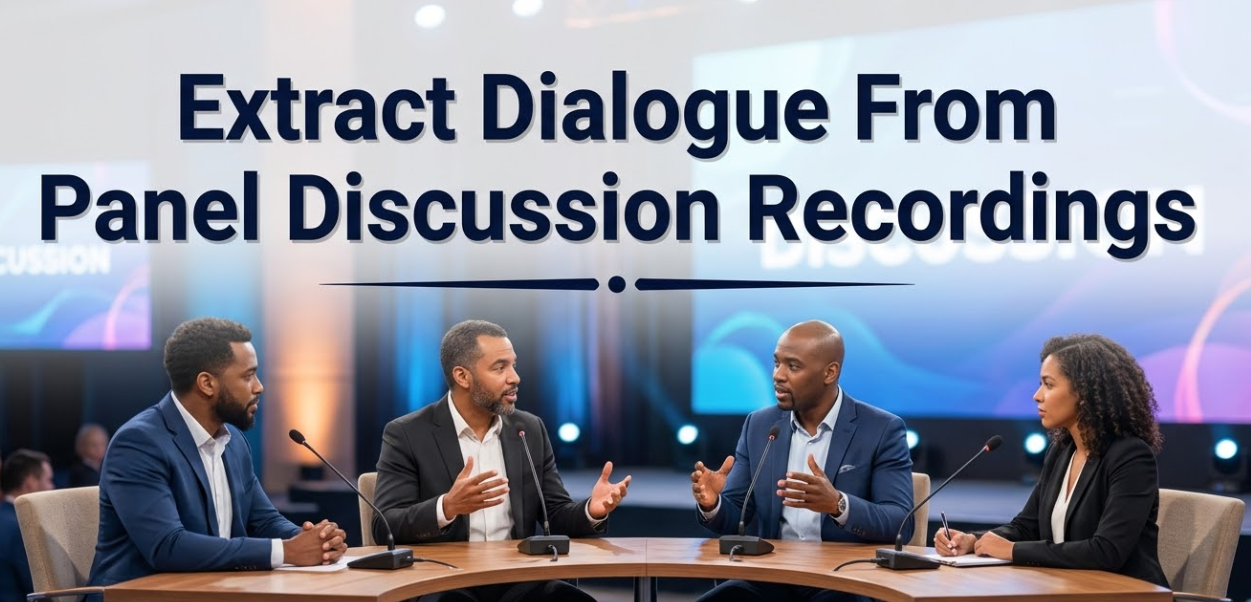
When you record a panel discussion, you capture something valuable — real conversations, expert opinions, and meaningful ideas. But a video or audio file sitting on your hard drive doesn’t do much on its own. To truly use that content, you need to extract dialogue from panel discussion recordings and turn it into something actionable.
Whether you’re a journalist, researcher, podcaster, educator, or content creator, pulling clean dialogue from a panel recording opens the door to transcripts, captions, articles, reports, and more. The problem? Panel discussions are messy. Multiple speakers talk over each other, audio quality varies, and background noise can make things tricky.
This guide walks you through everything — from why dialogue extraction matters, to the best tools available, to pro tips that make the whole process smoother. Let’s get into it.
What Does It Mean to Extract Dialogue From a Recording?
Before diving into the how, let’s make sure we’re clear on the what.
Extracting dialogue means taking the spoken words from an audio or video file and converting them into text — or isolating specific voice tracks from a recording. It’s not just about transcription. It also involves cleaning up who said what, removing background noise, and making the content usable.
Panel discussions add an extra layer of complexity. You’re not dealing with one speaker. You’re dealing with three, five, or even ten people — all talking at different volumes, with different accents, and sometimes all at once.
Two Main Goals When Extracting Panel Dialogue
There are generally two reasons people want to pull dialogue from panel recordings:
- Transcription — Converting spoken words into written text for reports, articles, captions, or archives.
- Voice Isolation — Separating individual speaker audio from a mixed recording for editing, dubbing, or clarity purposes.
Both goals are valid. Both require different approaches. This guide covers both.
Why Panel Discussions Are Harder to Transcribe Than Regular Recordings
Not all recordings are equal. A solo podcast is relatively easy to transcribe. A panel with five experts? That’s a different story.
Here’s what makes panel discussions particularly challenging:
| Challenge | Why It’s a Problem |
|---|---|
| Multiple speakers | AI tools get confused about who said what |
| Overlapping speech | Words get cut off or blended together |
| Varied audio levels | One mic picks up some speakers better than others |
| Background noise | Audience reactions, shuffling, or room echo |
| Different accents | Automatic tools may struggle with recognition |
| Fast-paced conversation | Little silence between turns |
These challenges aren’t impossible to overcome. But knowing they exist helps you choose the right tools and set the right expectations.
Step-by-Step: How to Extract Dialogue From Panel Discussion Recordings
Let’s break this down into a clear, manageable process. Follow these steps in order, and you’ll get much better results than just hitting “upload” on a random transcription tool.
Step 1 — Prepare Your Recording Before You Start
Garbage in, garbage out. If your audio file is low quality, no tool will fix it perfectly. Before you try to extract dialogue, do some basic audio prep.
Things to do before extraction:
- Convert your file to a standard format like MP3 or WAV
- Trim out long silences at the start or end of the recording
- Boost the overall volume if speakers sound too quiet
- Remove obvious background noise using a basic audio editor
Free tools like Audacity can handle all of this in minutes. Even small improvements in audio quality can dramatically improve transcription accuracy.
Step 2 — Choose the Right Extraction Method
There are three main methods for extracting dialogue from panel recordings. Each one suits a different situation.
Method 1: Automatic Transcription Software Best for: Speed and volume. If you need a rough transcript fast, AI-powered tools are your go-to.
Method 2: Manual Transcription Best for: Accuracy and context. Nothing beats a human ear when it comes to understanding nuance, humor, or unclear speech.
Method 3: Voice Isolation + Transcription Combo Best for: Complex multi-speaker recordings. First separate the voices, then transcribe each track individually.
Step 3 — Use a Speaker Diarization Tool
Speaker diarization is a technical term, but the idea is simple: it’s the process of labeling who said what in a recording.
Most modern transcription tools now include some form of diarization. When you upload a panel discussion, the tool will try to tag each segment with a speaker label — usually “Speaker 1,” “Speaker 2,” etc.
Top tools that support speaker diarization:
- Otter.ai — Great for real-time and recorded panel sessions
- Descript — Excellent editing features alongside transcription
- Sonix — Accurate with multi-speaker files
- Rev.com — Human transcription option for maximum accuracy
- Whisper by OpenAI — Free, open-source, and surprisingly good
Step 4 — Clean Up the Transcript
Automatic transcription is never perfect. After your tool spits out a transcript, go through it and:
- Correct misheard words
- Replace vague speaker labels (“Speaker 3”) with actual names
- Remove filler words like “um,” “uh,” and “you know” — unless you specifically need them
- Add punctuation where the tool missed it
- Note any inaudible sections clearly with [inaudible]
This step takes time, but it’s what separates a usable transcript from a messy one.
Step 5 — Format and Export
Once your transcript is clean, format it based on how you’ll use it. A few common formats:
- Timestamped transcript — Useful for journalists and researchers referencing specific moments
- Speaker-labeled dialogue — Clean format for articles and written content
- Subtitles file (SRT) — For adding captions to the video version
- Plain text — Simple and easy to work with in any document editor
Best Tools to Extract Dialogue From Panel Discussion Recordings
Let’s look more closely at the tools available, and what each one does best.
Otter.ai
Otter.ai is one of the most popular tools for recording and transcribing conversations. It works in real-time and with uploaded files. Its speaker identification feature works reasonably well for panel discussions, especially if you train it with speaker names in advance.
Pros: Real-time transcription, searchable transcripts, integrates with Zoom Cons: Struggles with heavy accents or low audio quality
Descript
Descript is more than a transcription tool — it’s a full audio and video editor that works with your text. You can literally delete words from your transcript and the audio edits itself. For panel discussion content creators, this is a game-changer.
Pros: Editable transcripts, multitrack support, studio-quality output Cons: More expensive than basic tools
Whisper (OpenAI)
Whisper is a free, open-source automatic speech recognition model released by OpenAI. It works surprisingly well across different accents and languages. It’s a command-line tool, which means it’s best suited for people comfortable with basic coding or technical setups.
Pros: Free, accurate, handles multiple languages Cons: Requires some technical knowledge to set up
Rev.com
If accuracy is your top priority and you’re okay with waiting a bit longer, Rev.com offers both AI transcription and human transcription. Their human transcriptionists are trained professionals who can handle complex, multi-speaker recordings with high accuracy.
Pros: Extremely accurate, human option available Cons: More expensive, slower turnaround for human transcription
Adobe Podcast (Enhance Speech)
Adobe’s free Enhance Speech tool doesn’t transcribe, but it cleans up audio like magic. If your panel recording sounds muddy or has background noise, running it through Adobe Podcast before transcribing can dramatically improve results.
Pros: Free, easy to use, excellent noise removal Cons: Doesn’t transcribe — it’s an audio cleanup tool only
How Voice Isolation Helps Extract Panel Dialogue
Sometimes the problem isn’t transcription — it’s the audio itself. If multiple speakers were recorded on the same microphone, or if background noise is making it hard to hear clearly, voice isolation can help.
Voice isolation tools use AI to separate a human voice from background sounds. Some advanced tools can even attempt to separate multiple voices from a single audio track.
For isolating and cleaning audio before you extract dialogue, tools like VocalRemoverX are worth exploring. These tools help strip away background noise, music, or ambient sound so that the actual dialogue comes through clearly — making transcription far more accurate.
Pro Tip: Always clean your audio before sending it to a transcription tool. Clean audio = better transcription accuracy, every single time.

Tips for Getting Better Results When You Extract Dialogue
Here are some practical tips that will save you hours of cleanup work.
Record With Separate Microphones When Possible
If you’re organizing the panel discussion yourself, use individual microphones for each speaker. This makes it vastly easier to separate voices later. Even cheap lapel mics can make a big difference.
Use a Consistent Recording Environment
Echo, reverb, and room noise are the enemies of clean dialogue extraction. Record in a quiet room with soft surfaces (carpets, curtains, foam panels) that absorb sound rather than bouncing it around.
Label Speakers Early in the Recording
At the start of a panel recording, have each speaker say their name clearly. For example: “Hi, I’m Dr. Sarah Chen.” This gives both human transcribers and AI tools a reference point for identifying voices later.
Break Long Recordings Into Segments
If your panel discussion runs for 90 minutes or more, consider breaking it into 15-20 minute chunks before uploading it to a transcription tool. Shorter files process faster and tend to be more accurate.
Always Review AI Transcripts Manually
No AI tool is 100% accurate. Always plan time to review and correct the output. For professional work, a human review step is non-negotiable.
Comparing Dialogue Extraction Methods: A Quick Overview
Here’s a side-by-side comparison to help you choose the right approach based on your needs:
| Method | Speed | Accuracy | Cost | Best For |
|---|---|---|---|---|
| AI Transcription | Fast | Good (80–95%) | Low to Medium | Drafts, quick turnarounds |
| Human Transcription | Slow | Excellent (98%+) | High | Legal, academic, professional use |
| Voice Isolation + AI | Medium | Very Good | Medium | Noisy or multi-speaker recordings |
| DIY Manual Transcription | Slowest | Excellent | Free (your time) | Budget-conscious users |
Common Mistakes to Avoid
Even experienced users make these mistakes. Avoid them and you’ll save yourself a lot of frustration.
Skipping audio cleanup. Many people upload raw recordings without any cleanup and then wonder why their transcript is full of errors.
Ignoring speaker labels. A transcript without clear speaker identification is hard to read and nearly impossible to use in written content.
Using only one tool. The best workflow often combines tools — for example, using Adobe Podcast to clean audio, then Otter.ai to transcribe, then Descript to edit.
Not saving a backup. Always keep your original recording file. Once you start editing, you might want to go back.
Over-relying on AI. AI tools are helpful, but they can misidentify speakers, miss words, or add errors. Human review is always worth it.
How Dialogue Extraction Is Used Across Industries
People extract dialogue from panel recordings for many different reasons. Here’s how different fields use this process:
Journalism and Media
Reporters extract dialogue to create accurate quotes and write articles based on panel discussions, conferences, and press events. Accuracy is critical — one misquoted word can cause major problems.
Academic Research
Researchers transcribe panel discussions from conferences, focus groups, and interviews to analyze language, themes, and patterns. Timestamped transcripts make it easy to reference specific moments in published papers.
Corporate and Business Settings
Companies transcribe town halls, board meetings, and panel events for internal records, compliance, and employee reference. Many organizations are legally required to keep accurate records of certain meetings.
Content Creation and Podcasting
Podcasters and video creators extract dialogue to repurpose content — turning a panel discussion into a blog post, social media quotes, email newsletters, or even a full e-book.
Education and E-Learning
Educators transcribe panel discussions to create study materials, provide accessibility options for hearing-impaired students, and build searchable archives of educational content.
According to research published on the Interaction Design Foundation, accessible content — including transcripts and captions — significantly improves learning outcomes and user engagement across all audiences.
FAQs: Extract Dialogue From Panel Discussion Recordings
Q1: What is the most accurate way to extract dialogue from a panel discussion recording?
The most accurate method is human transcription by a trained professional. However, combining AI transcription tools with a thorough manual review is a cost-effective alternative that delivers strong results for most use cases.
Q2: Can AI tools tell apart different speakers in a panel discussion?
Yes, most modern AI transcription tools offer speaker diarization — the ability to identify and label different speakers. Tools like Otter.ai, Descript, and Sonix do this reasonably well, though they’re not perfect, especially in noisy recordings or when speakers have similar voices.
Q3: How do I improve transcription accuracy for a noisy panel recording?
Start by cleaning your audio using a tool like Adobe Podcast’s Enhance Speech feature or VocalRemoverX before uploading it to a transcription tool. Reducing background noise significantly improves the accuracy of any transcription software.
Q4: Is it possible to extract dialogue from a panel discussion for free?
Yes. OpenAI’s Whisper model is free and open-source. Otter.ai also offers a limited free plan. For audio cleanup, Adobe Podcast’s Enhance Speech tool is available for free. The tradeoff is usually time and some technical effort.
Q5: What file formats work best for dialogue extraction?
Most transcription tools accept MP3, WAV, MP4, and M4A formats. WAV is typically the highest quality uncompressed format and tends to give the best transcription results. MP3 works well too, especially at higher bitrates.
Q6: How long does it take to transcribe a one-hour panel discussion?
AI tools can generate a rough transcript of a one-hour recording in just a few minutes. However, manual review and cleanup typically takes 2–4 hours depending on audio quality and the number of speakers.
Q7: Can I extract dialogue from a video file, or does it need to be audio only?
Most transcription tools handle video files directly. You don’t need to extract the audio separately — just upload your MP4 or MOV file and the tool will process the audio track automatically.
Conclusion: Turn Your Panel Recordings Into Powerful Content
Panel discussions are packed with valuable ideas. But if that content stays locked inside a video file, it reaches only a fraction of the audience it could. When you extract dialogue from panel discussion recordings, you unlock the full potential of that content.
The process doesn’t have to be complicated. Clean your audio first. Choose the right tools for your needs. Use speaker diarization to keep things organized. And always review the final transcript before you use it.
Whether you’re creating a research report, writing a news article, building a podcast, or simply archiving important conversations, getting the dialogue right makes all the difference. Start with good audio, pick the right tools, and don’t skip the human review step.
The words were worth saying. Make sure they’re worth reading, too.