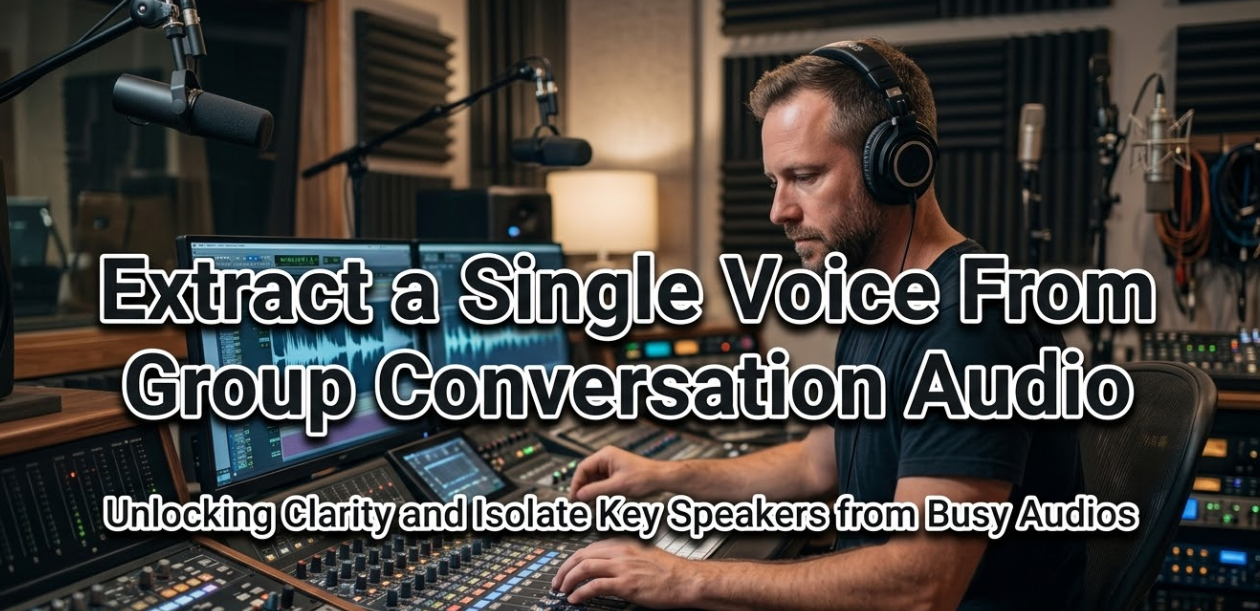
Have you ever recorded a meeting, podcast, or group call — only to realize later that all the voices are mixed together? If you’ve ever tried to extract a single voice from group conversation audio, you know how frustrating it can be. The voices overlap, background noise creeps in, and separating one person from the crowd feels impossible.
The good news? It’s not impossible anymore. Thanks to modern AI tools and audio processing software, you can now isolate a single speaker from a group recording with surprising accuracy. Whether you’re a journalist, content creator, student, researcher, or just someone trying to clean up a messy audio file, this guide has everything you need.
Let’s walk through the whole process — what it means, how it works, which tools are best, and how to get the cleanest results possible.
What Does It Mean to Extract a Single Voice From Group Audio?
When multiple people talk at the same time in a recording, their voices blend into a single audio stream. Your microphone doesn’t know who is speaking — it just captures sound waves from all directions. The result is a mixed audio file where one speaker’s voice is layered on top of others.
To extract a single voice from group conversation audio means to isolate just one speaker’s voice and remove or reduce the others. This process is also called speaker separation, voice isolation, or audio source separation.
Why People Need to Isolate a Single Voice
There are many real-world reasons someone might need to do this. Here are the most common use cases:
| Use Case | Who Needs It | Why It Matters |
|---|---|---|
| Podcast editing | Content creators | Remove one guest’s bad audio without affecting others |
| Legal transcription | Law firms, courts | Clarify what a specific person said in a recorded call |
| Journalism | Reporters, investigators | Isolate a source’s voice from a crowded environment |
| Academic research | Linguists, psychologists | Analyze one speaker’s speech patterns |
| Subtitling & captions | Media teams | Assign accurate captions to the right speaker |
| Personal use | Anyone | Recover a loved one’s voice from a group recording |
| Remote work recordings | Teams & managers | Extract specific instructions from meeting recordings |
How Voice Separation Technology Actually Works
Before jumping into tools, it helps to know a little about what’s happening behind the scenes. Modern voice separation uses a mix of signal processing and artificial intelligence.
Traditional Signal Processing
Older methods relied on techniques like frequency filtering, beamforming, and spectral subtraction. These work by identifying the unique frequency patterns of different sounds and separating them. However, they often struggle when voices have similar pitch ranges — which is very common in group conversations.
AI-Powered Speaker Separation
Modern AI tools use deep learning models trained on thousands of hours of speech. These models learn the unique characteristics of human voices — including rhythm, pitch, tone, and speaking style — and use that knowledge to pull individual voices apart, even in noisy environments.
This is called blind source separation (BSS) when the model has no prior information about the speakers. When trained on known voices, it’s even more accurate.
What Makes It Harder in Group Conversations?
Group conversations are tougher than you might think. Here’s why:
- Multiple people often talk over each other (overlapping speech)
- Background noise — like air conditioning or crowd chatter — adds extra layers
- Microphones in group settings pick up everyone equally
- Similar voice qualities (e.g., two women with similar accents) confuse AI models
- Room echo and reverb make it hard to define where one voice ends and another begins
Best Tools to Extract a Single Voice From Group Conversation Audio
Now for the part most people care about: which tools actually work? Below is a breakdown of the best options available in 2025, from free browser tools to professional-grade software.
1. Adobe Podcast (formerly Project Shasta)
Adobe Podcast is one of the most user-friendly AI tools for voice isolation. Its Enhance Speech feature uses AI to clean up voice recordings — reducing background noise and making the target voice much clearer. While it doesn’t do perfect multi-speaker isolation, it does a fantastic job of boosting a single voice in a noisy group setting.
Best for: Podcast creators, remote workers, casual users
Price: Free (with Adobe account)
2. VocalRemoverX
For anyone looking for a clean, web-based option, VocalRemoverX offers a powerful set of audio tools that go beyond just removing music — it can help isolate vocals and specific audio tracks from mixed recordings. It’s easy to use, doesn’t require any software installation, and processes audio directly in your browser. A great starting point for beginners who want fast results without a learning curve.
Best for: Beginners, quick voice isolation, online use
Price: Free with premium options
3. Krisp
Krisp is primarily known as a noise-cancellation app for live calls, but it also works on recorded audio. It uses AI to mute background voices and noise in real time, effectively helping you focus on one voice at a time. It’s excellent for filtering out unwanted participants from a group call recording.
Best for: Live calls, remote meetings, recorded call cleanup
Price: Free plan available; paid plans from $8/month
4. Audacity + Spectral Editing
Audacity is a free, open-source audio editor that gives you precise manual control over your audio. Using its spectral editing feature, you can visually identify and remove or reduce certain frequency bands — including voices. It’s time-consuming but powerful for users comfortable with audio editing.
Best for: DIY editors, manual voice cleanup, free budget
Price: Free
5. Descript
Descript is a popular tool among podcasters and video editors. It transcribes audio and lets you edit by text — including removing specific speakers from the waveform. It also has a Studio Sound feature that cleans up individual tracks.
Best for: Podcasters, video creators, transcription needs
Price: Free plan; paid plans from $12/month
6. Lalal.ai
While primarily used to separate music stems, Lalal.ai also has a voice isolation feature that works on spoken word audio. Its AI model handles vocal separation well even in complex audio environments.
Best for: Music-mixed recordings, media production
Price: Pay-per-use; packs start at $15
Tool Comparison at a Glance
| Tool | AI-Powered | Multi-Speaker | Free Option | Ease of Use |
|---|---|---|---|---|
| Adobe Podcast | Yes | Limited | Yes | Very Easy |
| VocalRemoverX | Yes | Partial | Yes | Very Easy |
| Krisp | Yes | Partial | Yes | Easy |
| Audacity | No | Yes (manual) | Yes | Moderate |
| Descript | Yes | Yes | Yes | Easy |
| Lalal.ai | Yes | Partial | No | Easy |
Step-by-Step: How to Extract a Single Voice From Group Audio
Here’s a general workflow you can follow regardless of which tool you use. The core process stays the same.
- Prepare your audio file.Make sure you have your group conversation saved as a common audio format — MP3, WAV, or AAC work best. The higher the quality, the better your results will be.
- Choose the right tool.If you need speed and simplicity, go with an online tool like VocalRemoverX or Adobe Podcast. If you want full control, use Audacity or Descript.
- Upload your audio.Most tools let you drag and drop your file directly into the browser or application window. Some tools have a file size limit, so check before uploading.
- Select the speaker or apply voice isolation.Some tools (like Descript) let you pick a specific speaker from the transcription. Others apply AI isolation automatically and let you tweak it after.
- Preview and adjust.Listen to the output carefully. Use EQ or noise reduction filters to further refine the result. Some voices may still bleed through — additional processing can help.
- Export the final file.Once you’re happy with the isolated voice, export it as a WAV or high-quality MP3. Always keep the original file as a backup.
Tips for Getting the Best Results When Separating Voices
Even with the best tools, the quality of your input audio makes a huge difference. Here are some practical tips to maximize your results when you isolate a single speaker from a group recording.
Record at the Highest Quality Possible
If you’re planning ahead, record your group conversation at the highest possible sample rate — ideally 44.1 kHz or 48 kHz. The more audio data the tool has to work with, the more accurately it can separate voices.
Use Directional or Lapel Microphones
If each person in the group has their own microphone (like a lapel mic or a headset), you’ll have separate audio channels from the start. This makes voice isolation nearly effortless — there’s no AI needed because the voices are already separated at the recording stage.
Reduce Background Noise First
Before running a voice separation algorithm, clean up the audio by removing obvious background noise. Tools like Audacity’s “Noise Reduction” feature or RX by iZotope can help you eliminate consistent background sounds (like fans, HVAC, or street noise) before the real work begins.
Avoid Recordings Where Voices Overlap Constantly
Even the best AI tools struggle when multiple people are talking at exactly the same time. If your recording has heavy crosstalk, the results will be imperfect. There’s only so much any software can do when two voices occupy the same frequency space at the same moment.
Use Spectral Repair for Stubborn Remnants
After isolating your voice, you might notice ghost voices or faint remnants of other speakers. Spectral repair tools (available in iZotope RX and Audacity’s spectral editor) let you paint over those problem areas and silence them selectively.
When to Use Professional Audio Restoration Services
Sometimes DIY just isn’t enough. If the audio is extremely noisy, the voices heavily overlap, or the stakes are high (like legal or forensic use), you may want to hire a professional audio engineer or forensic audio expert.
Professional audio labs use specialized tools like iZotope RX 11, Cedar Audio, and proprietary forensic software that can often recover audio that consumer tools can’t. They also follow documented processes, which can be important for legal admissibility.
For forensic audio work — such as extracting a voice from a disputed call recording — always consult a certified forensic audio expert. Self-processed audio may not be accepted in legal proceedings.
You can learn more about forensic audio standards through resources like the Audio Engineering Society (AES), which publishes guidelines and research on audio forensics and speech enhancement.
Ethical and Legal Things to Keep in Mind
Extracting voices from recordings isn’t just a technical task — it also comes with ethical and legal responsibilities.
Privacy Laws and Recording Consent
In many countries and states, recording a conversation without consent is illegal. Even if you have a recording, using voice separation software to isolate a specific individual’s voice may raise privacy concerns. Always make sure you have the right to process the audio before you begin.
Don’t Misrepresent Extracted Audio
It’s important not to use isolated voice clips out of context or to misrepresent what someone said. Editing someone’s voice to change its meaning is unethical and potentially illegal, especially in journalistic or legal contexts.
Data Security When Using Online Tools
When you upload audio files to online tools, be aware that your data may be stored on their servers. For sensitive recordings — such as those involving confidential business conversations or personal matters — use offline software instead of cloud-based tools.
Frequently Asked Questions (FAQs)
Final Thoughts: Isolating One Voice Is Now Within Reach
A few years ago, trying to extract a single voice from group conversation audio was a task reserved for professional audio engineers with expensive equipment. Today, AI-powered tools have put that capability in the hands of anyone with a computer and an internet connection.
Whether you use a free browser-based tool or invest in professional software, the key is to start with the best possible audio, choose the right tool for your needs, and take the time to refine your results. No tool will give you perfection every time — especially with complex group recordings — but with the right approach, you can get results that are genuinely useful.
Voice separation is one of the most exciting areas of AI development right now. The tools available today are already impressive, and they’re only getting better. If you try the process and find the results aren’t quite good enough, don’t give up — revisit the tips in this guide, experiment with different tools, and consider whether a professional service might be the right call for high-stakes work.
Your audio doesn’t have to stay a jumbled mess. With the right tools and a bit of patience, that single voice you’re looking for is in there — you just need to pull it out.